> For the complete documentation index, see [llms.txt](./llms.txt). Markdown versions of documentation pages are available by appending `.md` to page URLs; this page is available as [Markdown](./hooked/error-list/menu-visuals-scaling-not-centered.md).
# Menu/Visuals Scaling Not Centered
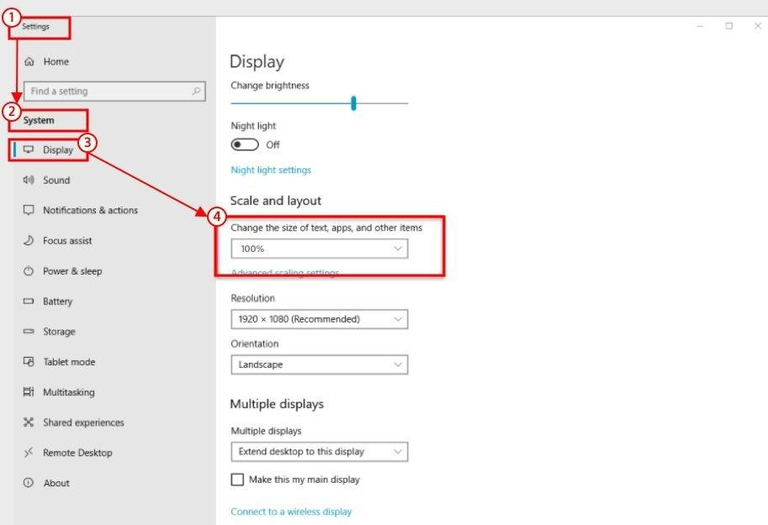
#### 1. Open Windows Settings
Open the Windows Settings app.
#### 2. Go to Display Settings
Navigate to Display settings.
#### 3. Set scale to 100%
Under **Scale and layout**, set **“Change the size of text, apps, and other items”** to **100%**.